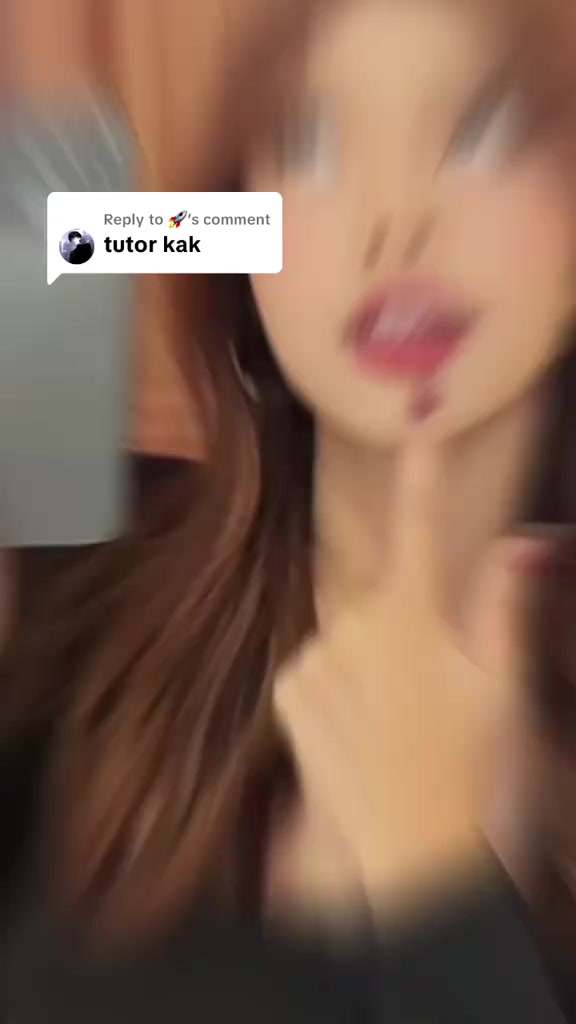
The brief request “Tutor kak” asks for a tutorial, setting up a first person walkthrough involving the Infinix Smart 20 without specifying which feature will be shown.
The brief request “Tutor kak” asks for a tutorial, setting up a first person walkthrough involving the Infinix Smart 20 without specifying which feature will be shown.
A direct and often slightly provocative question, such as “why is hers so much bigger?!”, can effectively capture attention. By tapping into a shared experience or unresolved curiosity, this opening quickly creates relevance and encourages viewers to stay for the answer or solution.
This perspective makes viewers feel as though they are experiencing it firsthand. Handheld selfie shots show product details and the usage process, creating an immersive sense of authenticity that brings viewers closer and sparks purchase interest.
A seamless user experience or versatile functionality is key to a product’s success. Showing how easy it is to go from unboxing to use, or highlighting an all-in-one design with functions such as slicing, shredding, and juicing, effectively appeals to consumers seeking speed and convenience.
How to do this? If you're still confused about how to set up the security question on this Infinix Smart 20, come over here and I'll explain it to you again.
Instructions for Use
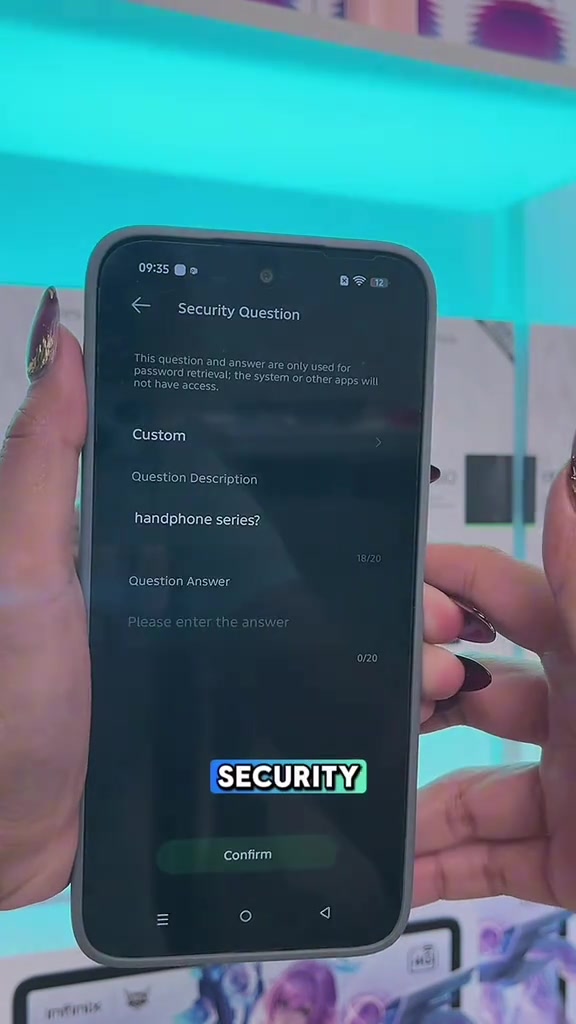
The method is that you just go to settings, then search for the security question menu right here, you can just search it directly, then enter your security lock pattern. Once that's done, you can click on the security question option.
Instructions for Use
Here you can customize your options, there are templates you can choose from, and if you don't want to use templates you can customize it yourself. So you can freely set the question and answer you need to fill in as you like. If you've already set up your answer, just tap confirm, and it will be set up right away.
Call to Action
So that's the whole method, for those of you who are interested, just go ahead and check out, I've put the product link in the yellow shopping cart. If you have any more questions, feel free to comment below, or just join my live stream on the Infinix livestream.
Storyboard breakdown
Medium Shot
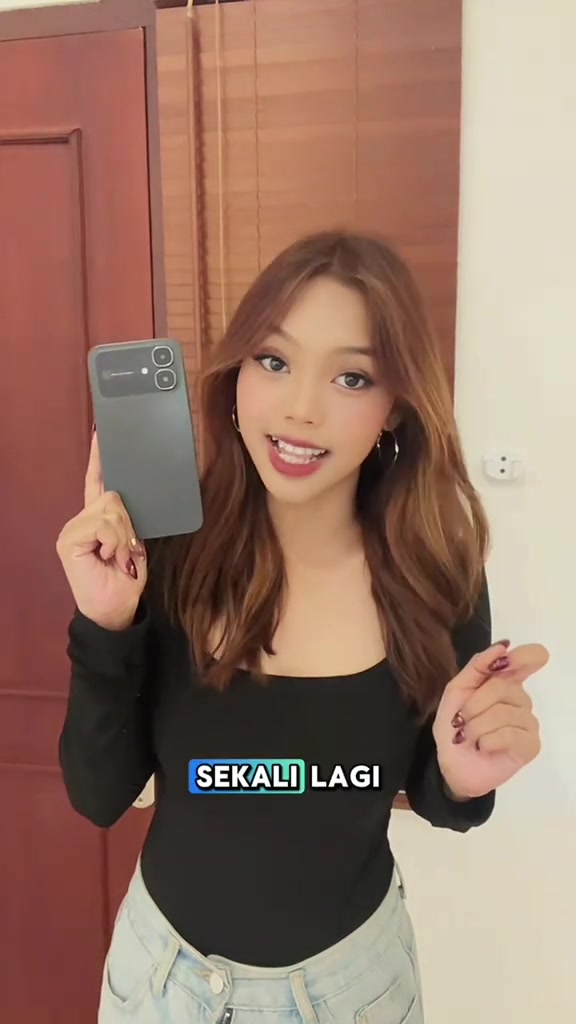
A young woman stands indoors in front of a red wooden door and wooden blinds, holding a grey Infinix smartphone with its back facing the camera in her right hand, gesturing and explaining with her left hand. A white pop-up dialog showing the viewer comment 'tutor kak' appears at the top of the frame, matching subtitles are displayed at the bottom, creating a friendly casual home atmosphere.
Close-up
Hands with burgundy and gold nail art hold the smartphone, against a background of neon lights shifting through pink, yellow, green and blue hues. Fingers tap the search bar, type in keywords, tap search results, and draw an unlock pattern, demonstrating the preliminary steps to access the security question settings.
Close-up
Hands hold the smartphone against the gradient neon background. Fingers tap the custom question option, input a custom question description, type in the custom answer, and finally tap the confirm button to complete the security question setup. The background lighting shifts continuously along with the operation flow.
Medium Shot
The scene cuts back to the indoor opening shot via a shattered glass transition effect. The woman continues to hold up the grey smartphone and explain, making gestures to guide viewers to place orders. Promotional subtitles pop up at the bottom of the frame, wrapping up the video with a call to action.
Frequently asked questions
Tutor kak video FAQ
Questions about this video’s creative strategy, creator, metrics, and creating a similar video.
What hook does this [Authorized Infinix] Infinix Smart 20 4/64GB - Up to 8GB Extended RAM - product video use?
This video uses a “Question hooks” opening. The classification is based on the collected video content and available analysis fields, and can help explain how the first few seconds attract attention.
What selling angle and content structure does this video use?
Its primary selling angle is “Convenience angle” and its content structure is “First-person POV.” Use these as strategic references, then adapt the execution to your own product, audience, and brand voice.
Is Liora_infinix the creator of this video?
The current dataset identifies Liora_infinix as the video creator. The creator name links to the corresponding public TikTok profile when available; account details may change over time.
Can I use this [Authorized Infinix] Infinix Smart 20 4/64GB - Up to 8GB Extended RAM - video to create a similar video?
Yes, you can use it as a creative reference. Octer extracts the hook, pacing, content structure, and presentation pattern, then combines them with your product information instead of directly copying the original footage.
Are the views, engagement, and product metrics shown in real time?
No. The page shows the most recently collected public video and product data. Values may lag because of platform updates, reporting periods, or market changes, so treat them as research signals rather than real-time reporting.
What should I consider when creating content from this reference?
Do not directly reuse the original creator’s footage, music, likeness, or brand assets. Confirm your rights to all product and generated assets, and follow TikTok Shop, advertising-market, and applicable local rules before publishing.