Kein klarer Hook
Videos, die ohne einen klaren, aufmerksamkeitsstarken Einstieg beginnen.
Analyse ansehenKreativanalyse

In the analyzed video, ttjdjiss20251 uses a First-person POV structure, opens with No Hook, and builds purchase intent through Scarcity angle. This observation is based only on this video's script, storyboard, and public performance data.
Ähnliches Video kostenlos erstellenOriginal auf TikTok ansehenKreativanalyse
In the analyzed video, ttjdjiss20251 uses a First-person POV structure, opens with No Hook, and builds purchase intent through Scarcity angle. This observation is based only on this video's script, storyboard, and public performance data.
Videos, die ohne einen klaren, aufmerksamkeitsstarken Einstieg beginnen.
Analyse ansehenDiese Perspektive vermittelt Zuschauern das Gefühl, das Produkt selbst zu erleben. Handgeführte Selfie-Aufnahmen zeigen Produktdetails und die Anwendung, schaffen authentische Nähe und wecken dadurch das Kaufinteresse.
Analyse ansehenKünstliche Verknappung kann Verbraucher wirksam zu einer sofortigen Bestellung bewegen. Creator sollten direkt sagen: „Bestelle, bevor es ausverkauft ist“, und erklären, warum das Angebot begrenzt oder besonders gefragt ist, etwa „neu erschienen und schnell vergriffen“. Der dringliche Ton fördert den Kauf, bevor Zweifel entstehen.
Analyse ansehenWhoever invented this trunk light deserves a raise. No more searching in the dark at night. It turns on when you open the trunk and off when you close it.
Solar and USB charging keep it powered, while the residue-free adhesive makes installation easy.
Tap to switch between sensor and always-on modes, with different lighting effects to choose from.
Perfect for any vehicle, camping, and road trips. Supplies are limited, so grab yours before the deal ends.
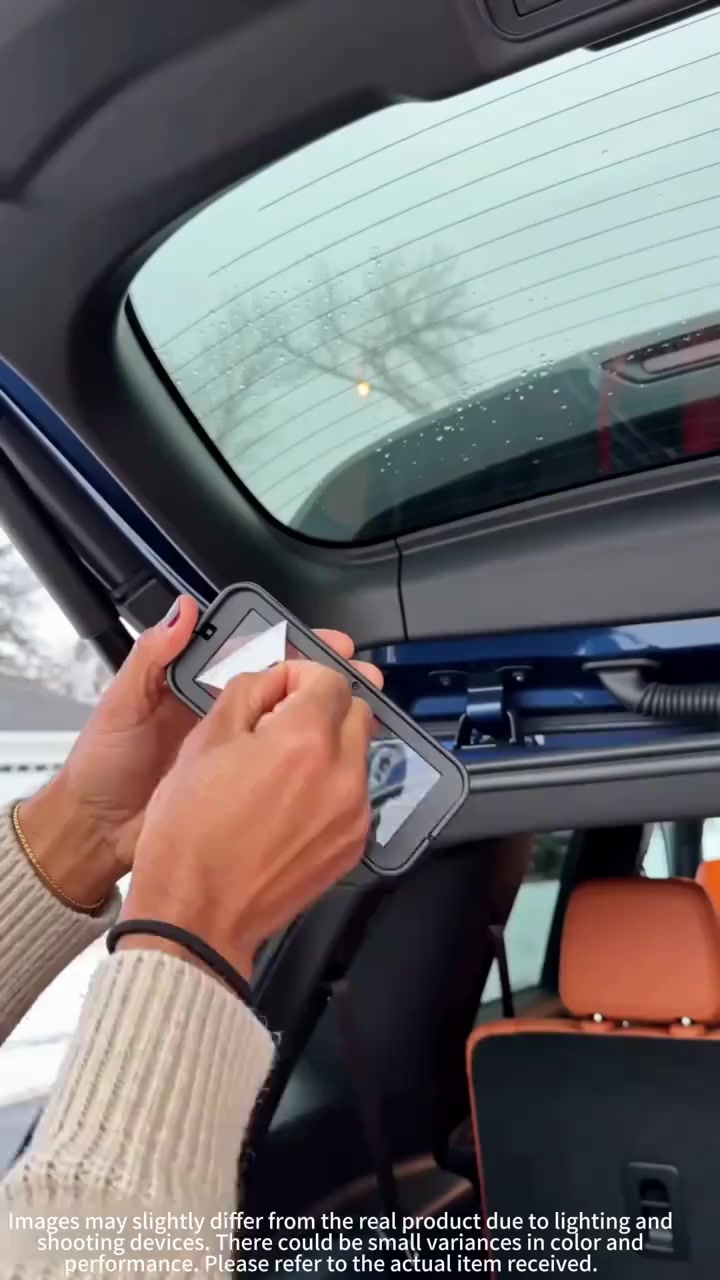
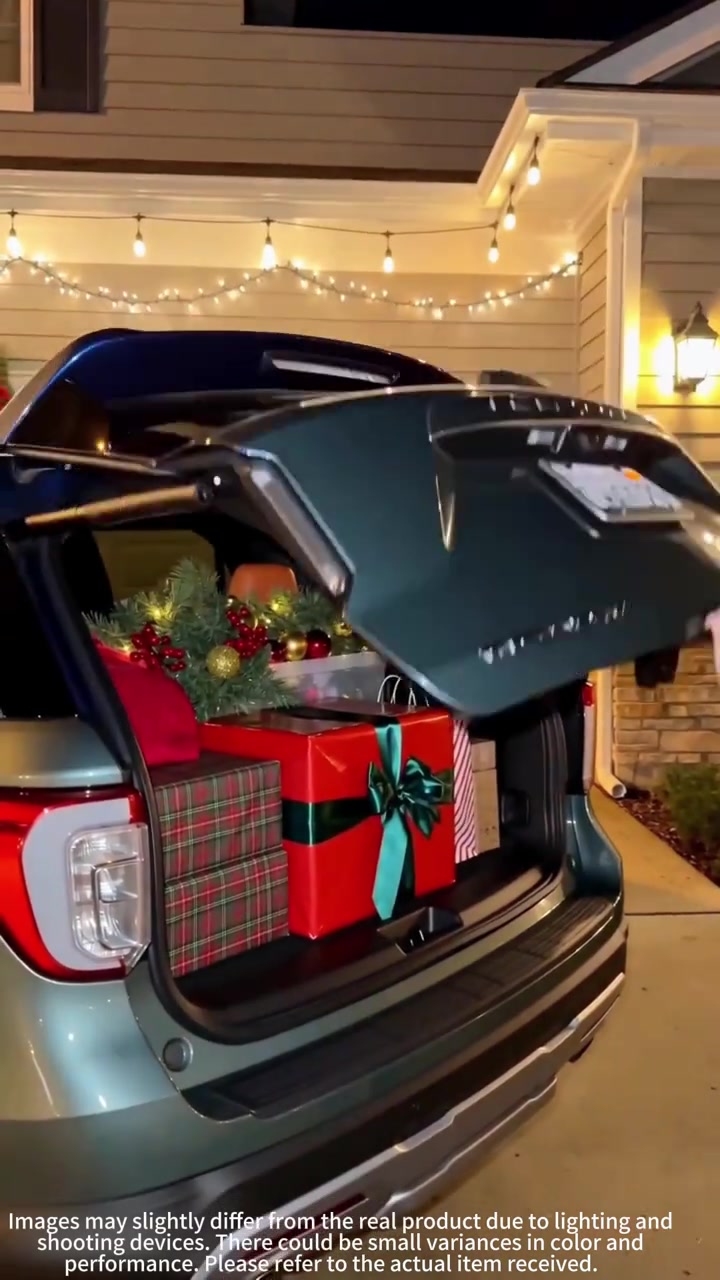
Close-up of two hands pasting and installing a black strip-shaped car trunk light with control buttons on the inner top of the tailgate of a silver-gray SUV. Then the scene switches to the front of a residential garage decorated with Christmas wreaths and string lights at night. A man in a gray sweatshirt walks past, the tailgate of the turquoise Ford SUV rises automatically, the trunk automatically turns on warm white light, and packaged holiday gifts are piled inside. The man reaches out to close the tailgate, and the light goes out immediately.
The scene switches to a forest parking lot in the daytime, the tailgate of the turquoise Ford SUV rises, camping equipment, storage boxes and work boots are placed in the trunk. Then the camera cuts to the inside of the car, where two hands flip to show the details of the solar photovoltaic panel appearance and the USB charging port on the side of the trunk light.
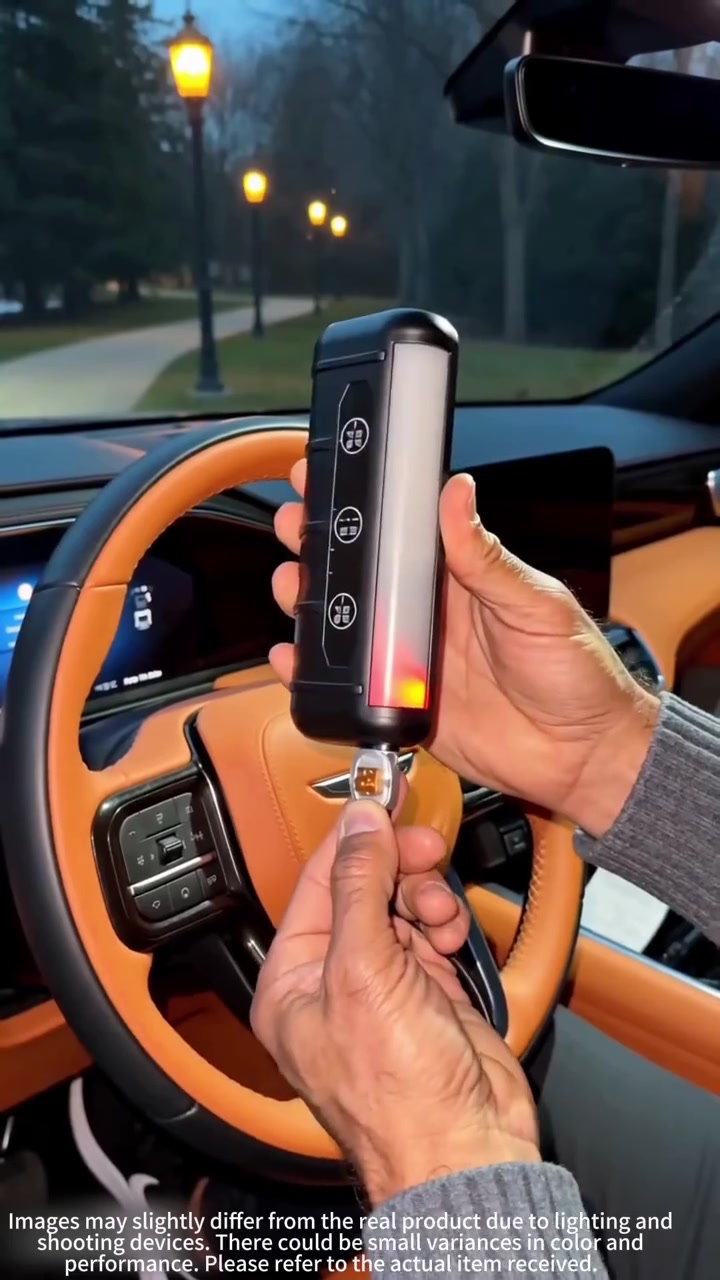
Two hands demonstrate pasting and positioning installation on the inner side of the tailgate. Then the scene switches to outdoors at night. A man in a white inner wear and a blue vest stands in front of the open tailgate of the burgundy SUV, raises his hand to trigger the light effect switch. The trunk light gradually changes from warm white to green, the hands are illuminated by the light, and the multi-color light mode effect of the product is demonstrated at the same time.
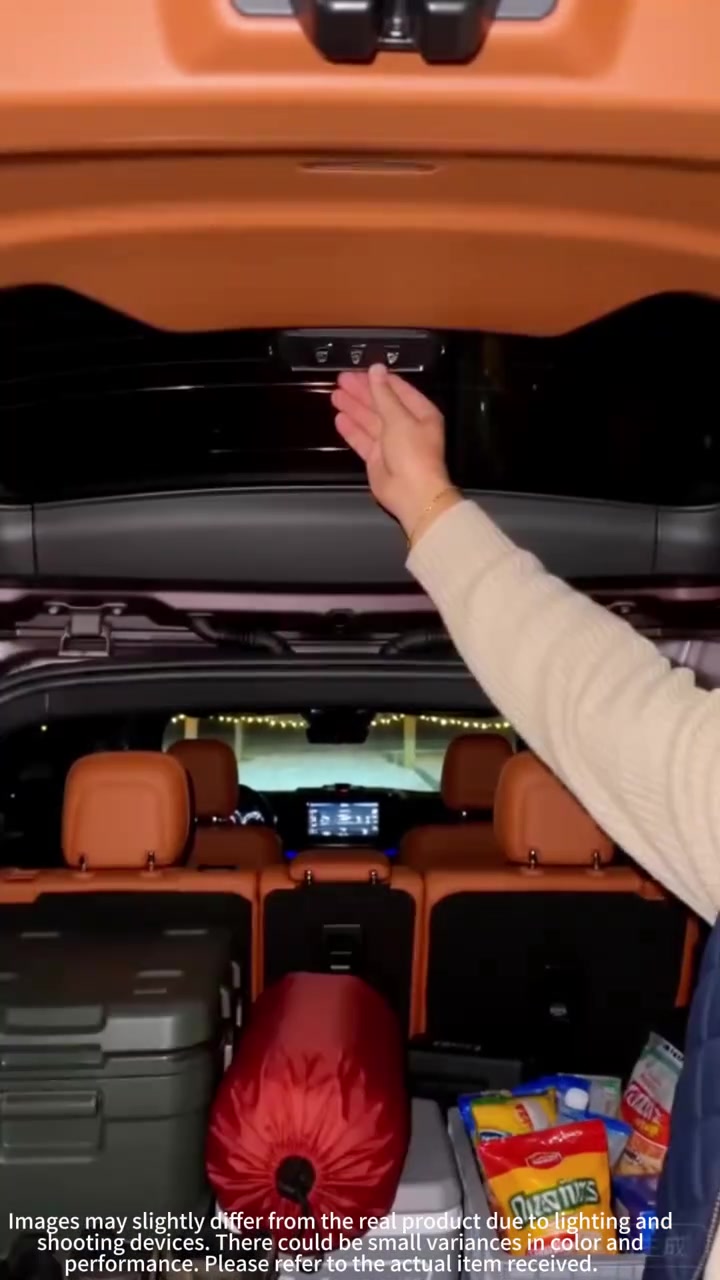
The trunk light of the burgundy SUV switches to cool blue. The man reaches out to close the tailgate, and the light goes out accordingly. Then the tailgate automatically rises again, the light turns back to warm white. A red downward purchase indicator arrow pops up in the lower left corner of the screen. Finally, the camera gives a close-up of the front buttons and lighting effect of the trunk light.
Häufig gestellte Fragen
Fragen zur Kreativstrategie, zum Creator, zu Kennzahlen und zur Erstellung eines ähnlichen Videos.
Das Video beginnt mit „Kein klarer Hook“. Die Einordnung basiert auf den erfassten Videoinhalten und Analysedaten und hilft zu verstehen, wie die ersten Sekunden Aufmerksamkeit erzeugen.
Das wichtigste Verkaufsargument ist „Knappheits-Winkel“, die Struktur ist „Ich-Perspektive“. Passen Sie diese Ansätze an Produkt, Zielgruppe und Markenstimme an.
Im aktuellen Datensatz ist ttjdjiss20251 als Creator angegeben. Sofern verfügbar, führt der Name zum öffentlichen TikTok-Profil.
Ja. Octer nutzt Einstieg, Tempo, Struktur und Präsentation als kreative Referenz und kombiniert sie mit Ihren Produktinformationen, ohne das Originalmaterial zu kopieren.
Nein. Angezeigt werden die zuletzt erfassten öffentlichen Daten. Durch Plattform-Updates und Berichtszeiträume kann es Verzögerungen geben.
Verwenden Sie Video, Musik, Bildnis oder Markenmaterial des ursprünglichen Creators nicht direkt. Prüfen Sie vor der Veröffentlichung alle Rechte und Plattformregeln.